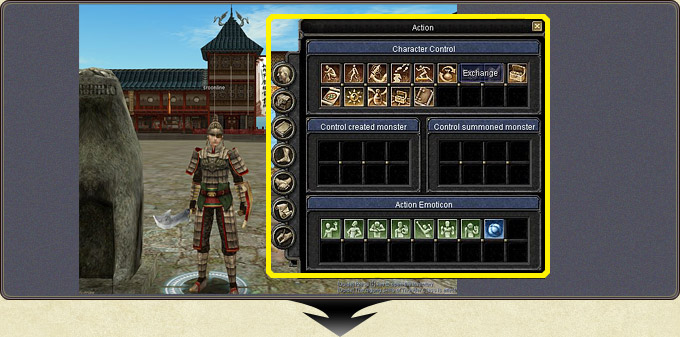
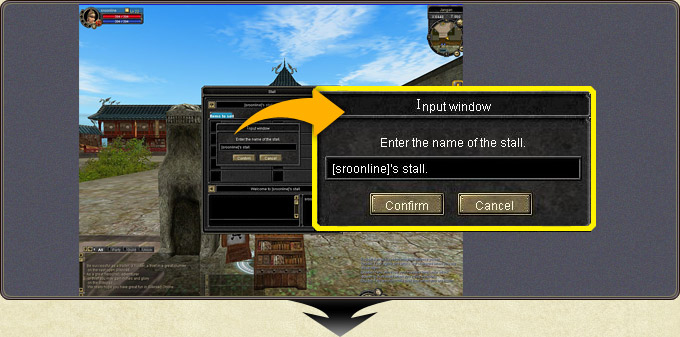
A personal stall is opened with the stall icon in the action menu, and the stall is given a name.
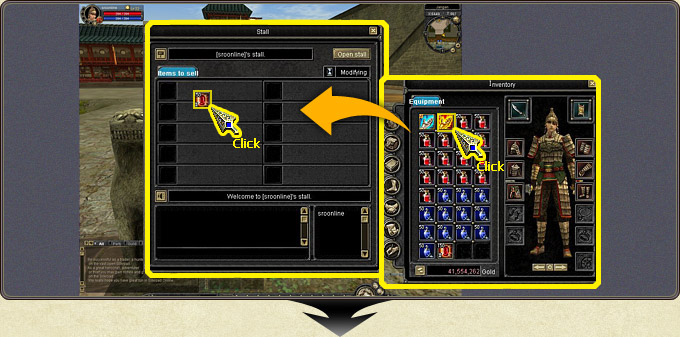
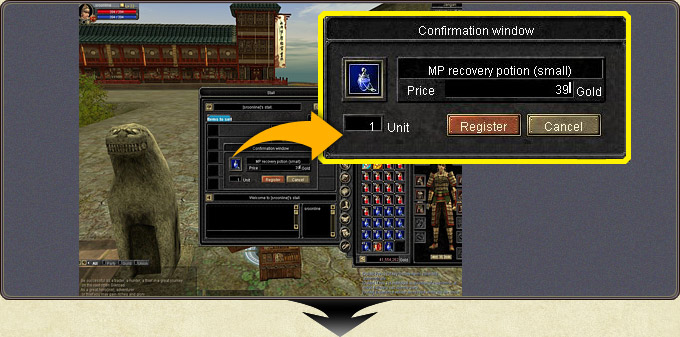
The item to sell is taken from the inventory and placed by clicking; set the price and press Register.
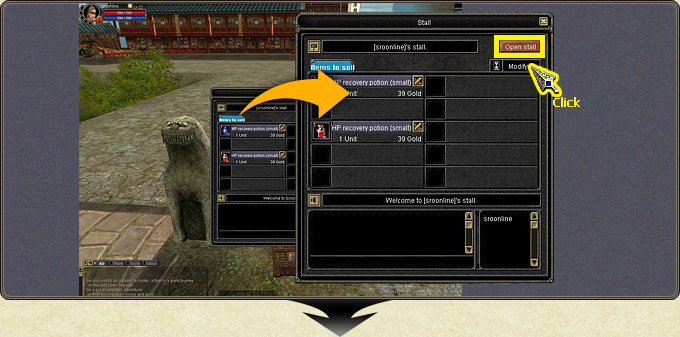
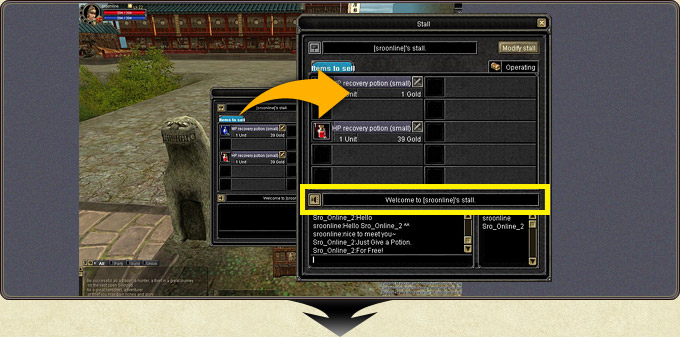
Sales begin when Open Stall is pressed. The stall owner can leave a sales message.
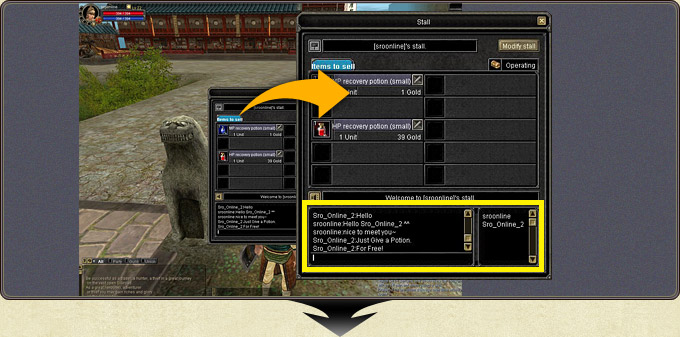
The IDs of users currently viewing the stall are visible, and you can converse with them.
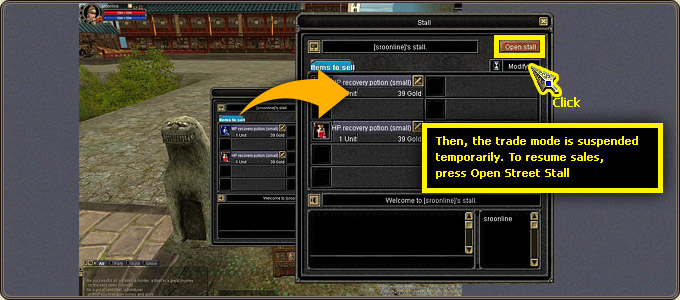
Change Stall adds or removes items, or changes prices.
Private Stall — opening the stall from the action menuPrivate Stall — naming the stallPrivate Stall — placing an item on the stallPrivate Stall — setting the price and RegisterPrivate Stall — starting sales with Open StallPrivate Stall — the sales messagePrivate Stall — chatting with viewersPrivate Stall — editing with Change Stall