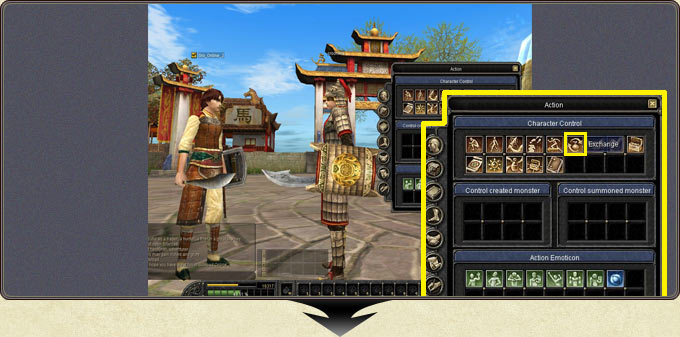
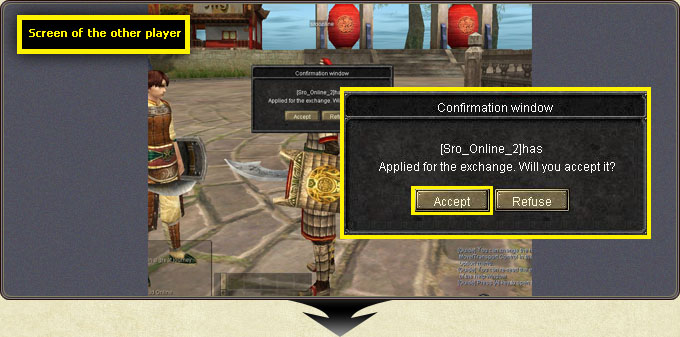
An exchange request is sent by clicking the target character and choosing the Exchange icon in the action menu; the exchange starts when the other player accepts.
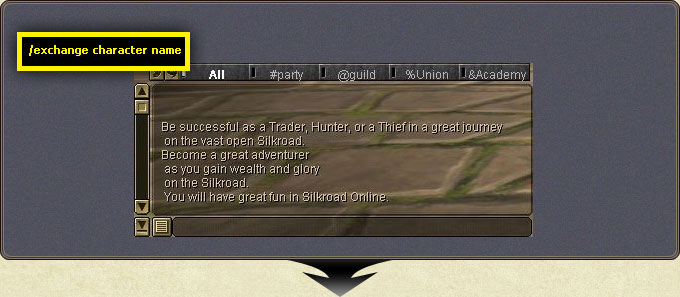
A request can also be sent by typing /exchange charactername in the chat window.
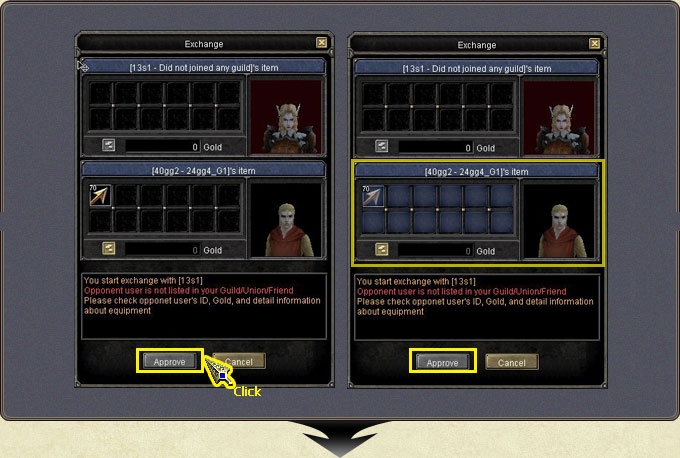
Place and double-check the items and gold, then press Confirm. The window turns blue; the offer can no longer be modified and the Confirm button becomes Approve.
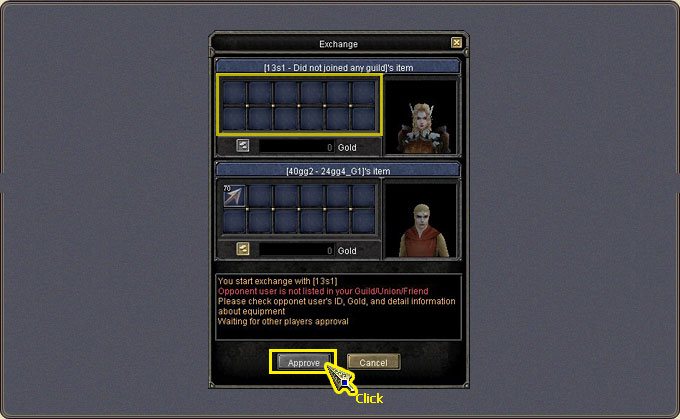
When the other side is ready their window also turns blue. The exchange completes when both sides double-check and press Approve.
If either side lacks free inventory slots, the item will not enter the exchange window. Cancel aborts the exchange at any time.
Requests cannot be sent to players in exchange-denial status.
If the other player is not in your Guild/Union/Friend lists, the warning 'Opponent user is not listed in your Guild/Union/Friend' appears; if they are under a job alias, 'Opponent user's name is a fictitious name' appears.
Item Exchange — requesting an exchange from the action menuItem Exchange — placing items and gold into the windowItem Exchange — the window turning blue after ConfirmItem Exchange — both sides' Approve step and the unlisted-player warningItem Exchange — completing the exchange