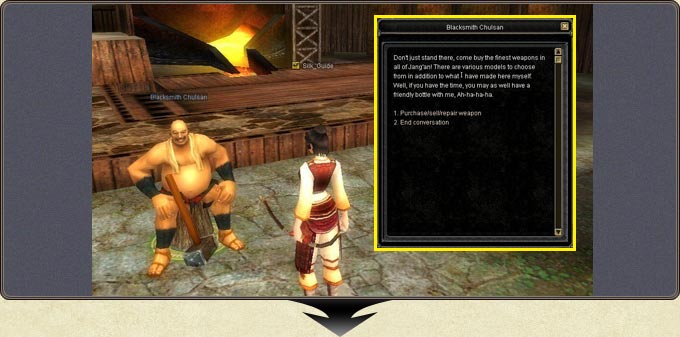
Used equipment loses durability; items are repaired for gold at the relevant NPC, such as the town blacksmith. Choose the 'Purchase/sell/repair' option in the dialogue window.
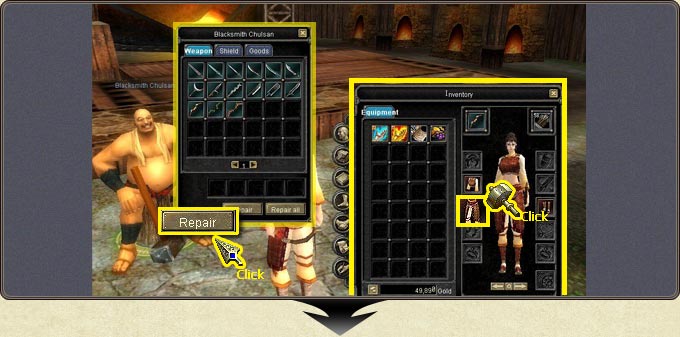
The NPC window has two buttons: Repair fixes the single item you select in the inventory.
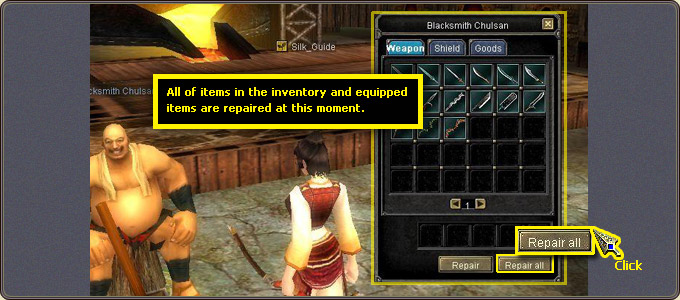
Repair all repairs every item in the inventory and every equipped item at the same time.
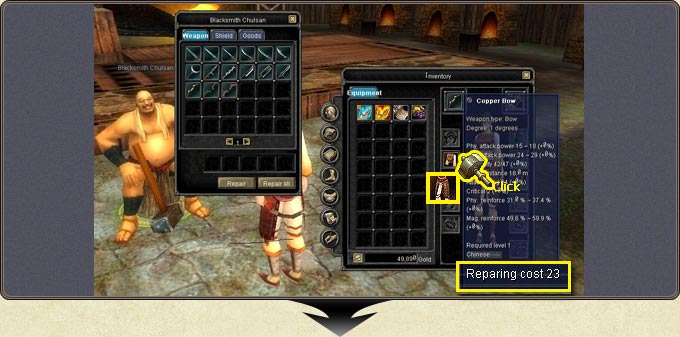
The repair fee appears on the item's tooltip in the 'Repairing cost' line; the tooltip also shows the item's type, degree, attack-defense values and required level.
Talking to Blacksmith Chulsan: the purchase/sell/repair weapon optionSelecting an item in the inventory and repairing it with RepairThe repair fee (Repairing cost) on the item tooltipRepair all: every inventory and equipped item is repaired at once