Quick Slot

Home Library Game Guide Using Items Quick Slot
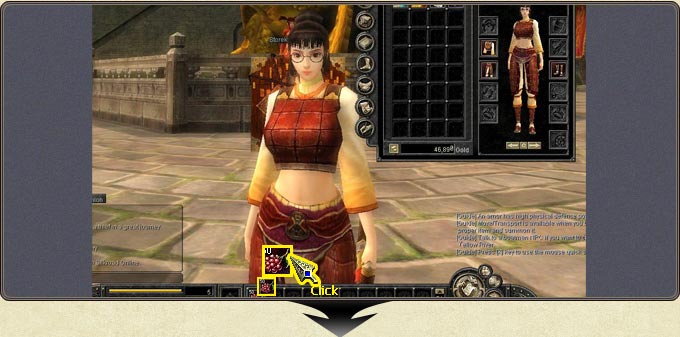
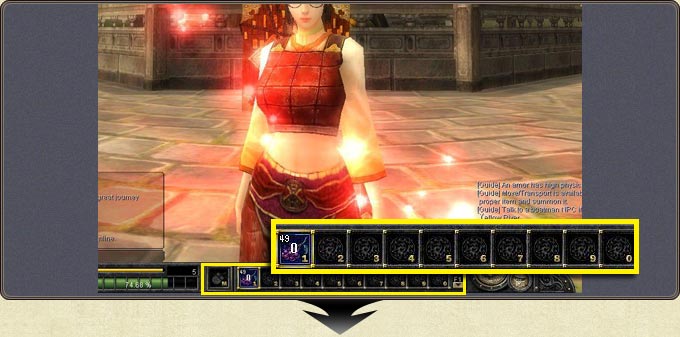
  • Drag the items and skills you want from the inventory into the desired quick slot and use them with the corresponding key (hotkeys 1-0).
  • The Space + 1-0 combination triggers the additional quick slot buttons.
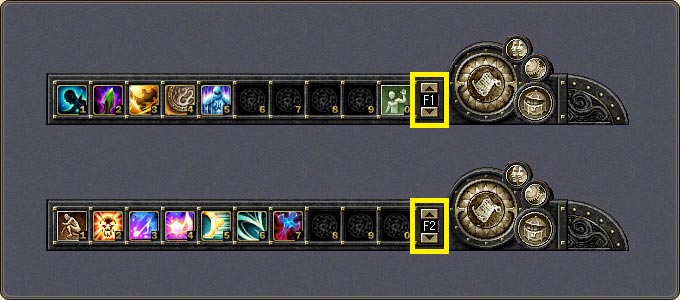
  • F1-F4 switch between quick slot pages, and the indicator to the right of the row shows the active page — so you can keep potions on one page and attack skills on another.
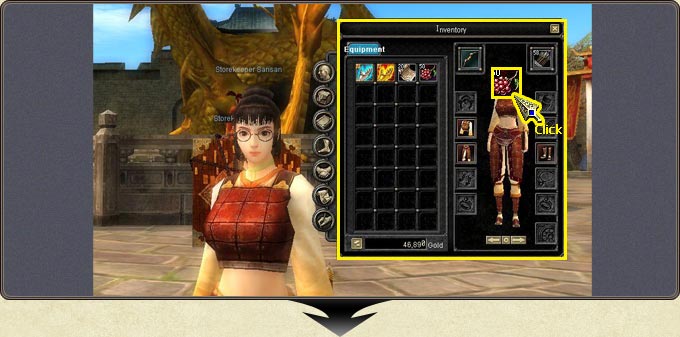
Picking an item from the inventory and moving it to a quick slot
The item placed in the quick slot and used by clicking
The quick slot row: slots numbered 1-0 plus the additional buttons
The F1 and F2 pages: each page keeps its own item/skill layout

The text and images in this section are from the official Silkroad Online guide documentation.

An unhandled error has occurred.
Reload 🗙