Purchasing Items Purchasing Items
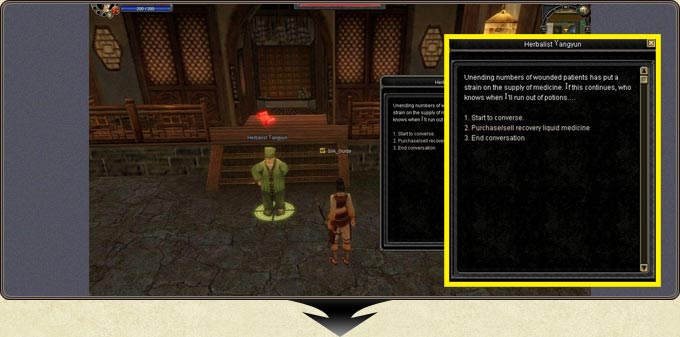
- Trade starts by clicking the NPC. The dialogue window that opens lists numbered options; pick the 'Purchase/sell' line to trade.
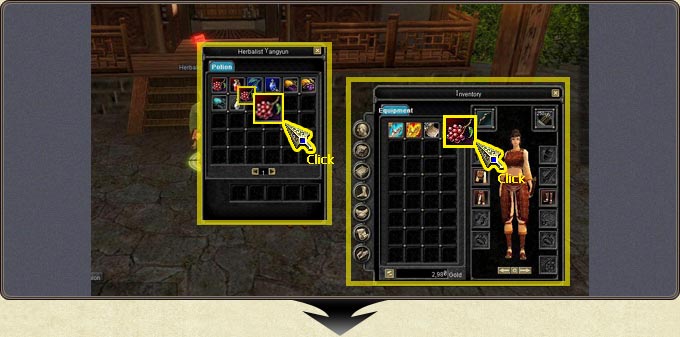
- The NPC window is split into category tabs (e.g. Potion at the herbalist), and the arrows at the bottom move between pages.
- Click the item you want, then click an empty inventory slot to place it.
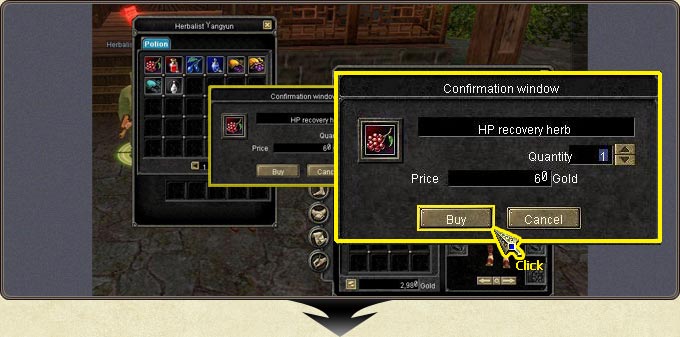
For items sold in quantity a confirmation window opens showing the item name, the Quantity and the total Price; Buy completes the purchase and Cancel aborts it.
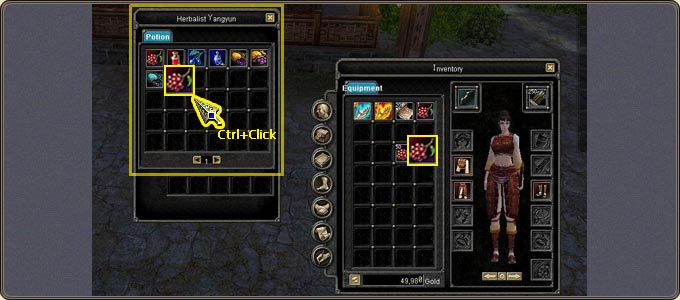
Ctrl + click skips the confirmation and buys in one move; for stackable items the maximum quantity is taken automatically.