Fortress War: Fortress NPC
In the official documentation Fortress NPC is divided into five subsections: NPC management, the fortress administrator, the fortress clerk/combat assistant, the blacksmith/trainer and the guard/fortress monster.
Fortress NPC management NPC Management
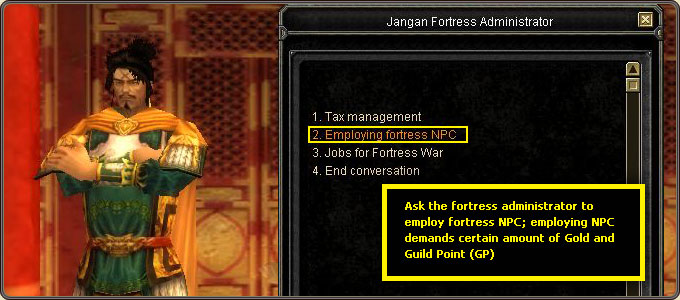
- Employing NPC: Dialogue with NPCs at the fortress is not possible until a fortress administrator is employed.
- Laying NPC off: A fortress NPC cannot be laid off at the user's discretion. The NPC is forcibly laid off once the fortress war is lost, and all item production and training courses performed by that NPC are terminated.
- Use of NPC: Once employed, any member of the fortress-occupying guild and its alliance can use the NPC menu. Some functions, however, are restricted to the guild master (the commander at the fortress war) and the staff appointed by them — excluding those temporarily occupying the fortress during the war.
Fortress management authority table
| Item | Commander at fortress war | Fortress war administrator | Production administrator | Training course administrator | Common guild member |
|---|---|---|---|---|---|
| Adjustment of tax rate | O | X | X | X | X |
| Tax levying | O | X | X | X | X |
| Employing NPC | O | X | X | X | X |
| Purchase of guard mobilization items | O | O | X | X | X |
| Guard positioning | O | O | X | X | X |
| Installing obstacles | O | O | X | X | X |
| Guard laying off | O | O | X | X | X |
| Fortress structure management | O | O | X | X | X |
| Fortress structure operation | O | O | X | X | X |
| Item production | O | X | O | X | X |
| COS training | O | X | X | O | X |
O = authorized, X = not authorized
Fortress administrator Fortress Administrator
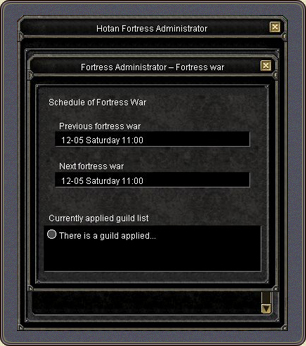
The fortress administrator is an NPC employed mandatorily once a fortress is occupied, performing jobs such as tax control, tasks for the fortress war and employing new NPCs.
Tax control
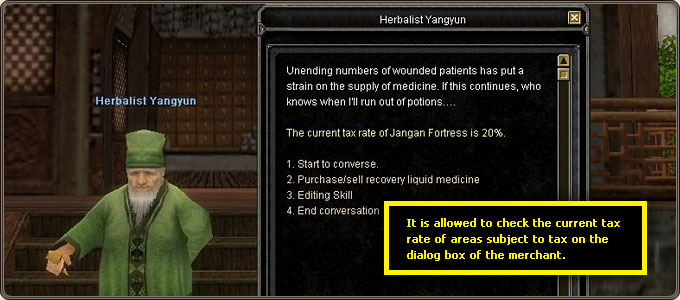
- The administrator is entitled to adjust the tax rate and levy taxes at the large cities and specialty stores relevant to the occupied fortress.
- The tax rate is adjusted between -20% and +20%. Adjustment is available every Saturday from 00:00 to 23:59, with no limit on frequency.
- Levying taxes is allowed only on Saturdays. Pressing the Levy button transfers the taxes to the inventory.
- Authority for levying taxes is restricted to the guild master (the commander at the fortress war).
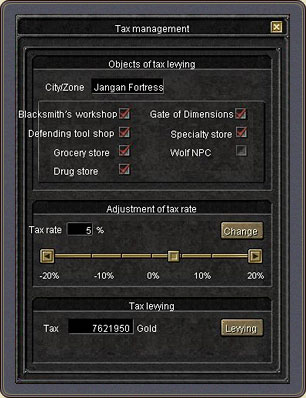
Objects of tax levying
- Large fortress — weapon stores, defense tool stores, hardware stores, potion stores, the Door of Dimensions and specialty stores.
- Bandit fortress — bandit specialty stores and the ferries for trading between China and the western countries.
- Black Robber Den fortress — Black Robber Den specialty stores and the ferries for trading between western China and Hotan.
- Evil Order fortress — Evil Order specialty stores and the harbors at Eastern Europe and Central Asia.
How the tax rate changes prices
- Common items: purchase price = base purchase price + tax; sales price = base sales price − tax.
- Specialties: purchase price = base purchase price + tax; sales price = base sales price − tax.
- Fees for the Door of Dimensions, the ferries, the private boats and the tunnels are charged in the same way as common items.
- Exception: the members of the occupying guild and its alliance are applied a rate between -20% and 0%. A rate greater than 20% is automatically reset to 0% for them.
Re-purchase price and the tax rate
The re-sale price is the base price less tax, while the re-purchase price is the higher of the base price and the sales price. Example: for an item with a 1,000 Gold base price at a 10% tax rate, selling yields 900 Gold — since the base price is higher, the re-purchase price is 1,000 Gold. At a -10% rate the same item yields 1,100 Gold, and because the sales price now exceeds the base price, the re-purchase price is 1,100 Gold.
War tasks and employing NPCs
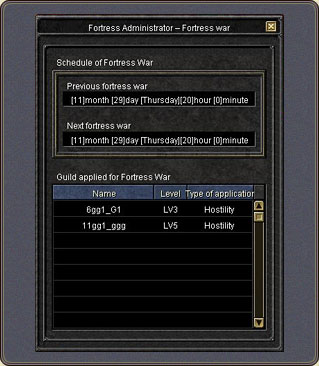
- The fortress war schedule and the guilds that applied for the war are available from the fortress administrator. This information is open to any member of the occupying guild.
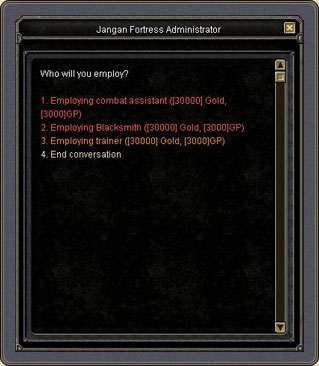
- Authority for employing NPCs is restricted to the guild master (the commander at the fortress war) and demands payment of a defined amount of Gold and GP.
Fortress clerk / combat assistant Fortress Clerk / Combat Assistant
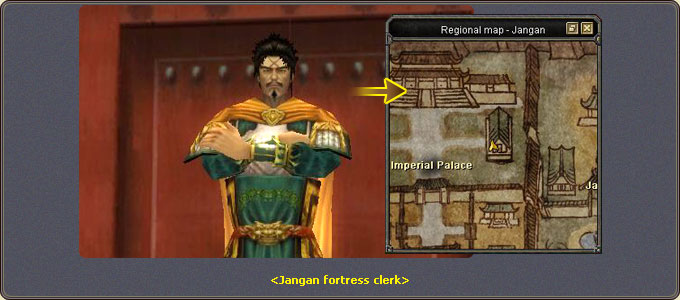
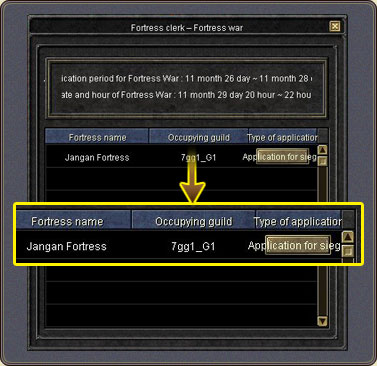
Fortress clerks are positioned in the large city adjacent to the fortress, handling fortress war applications and the purchase/sale of items relevant to the war.
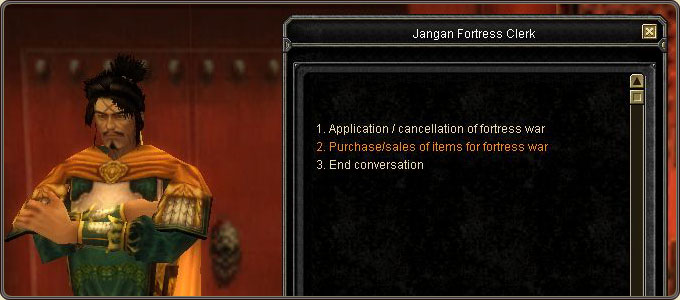
Requirements to apply for attacking
- The authority to apply is restricted to the guild master within a defined period.
- Guild level or higher
- 3 or more guild members as of application
- The defined registration fee
- Not being an alliance guild of the fortress-occupying guild
Requirements to apply for defending
- A guild master may apply for castle defending if their alliance guild occupies a fortress.
- Guild level or higher
- 3 or more guild members as of application
- No registration fee
Cancelling is restricted to the guild master and only before the defined deadline, using the Cancel button on the Apply/Cancel Fortress War window. The registration fee is not reimbursed.
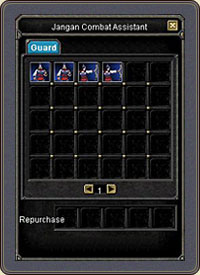
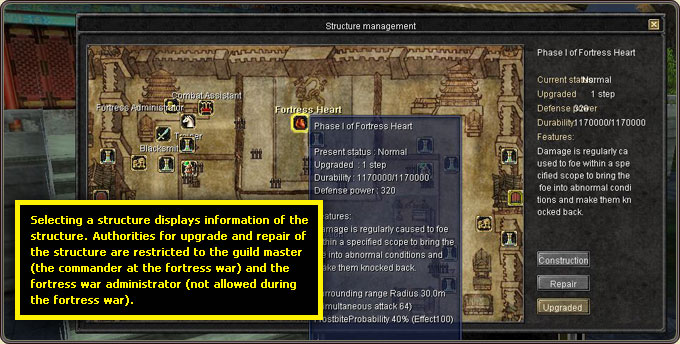
The combat assistant is positioned inside the fortress and is responsible for employing guards and managing the structures. Authority to use it is restricted to the guild master (the commander at the fortress war) and the fortress war administrator.
Structure management and upgrade requirements
- The Manage Structure button opens a window showing the fortress map and structure information.
- The level of the guild master and the fortress war administrator must be higher than the structure's required level.
- Gold and GP are necessary for upgrading.
- A defined period must have elapsed at the structure's current level.
- Upgrading is not allowed if the structure's durability is not 100%.
Guards are employed by purchasing guard mobilization items, which consumes both Gold and GP.
Blacksmith / trainer Blacksmith / Trainer
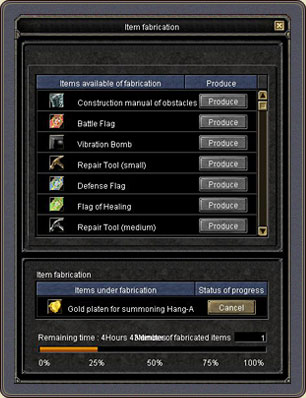
The blacksmith is positioned inside the fortress and is responsible for producing and repairing items. Authority to use it is restricted to the guild master (the commander at the fortress war) and the production administrator; employing a production administrator saves both cost and time.
- Item repairing: It works the same as ordinary repair, except that the blacksmith is allowed to repair the entire items.
- Item production: The Fabricate Items button lists the items producible at the fortress. Hovering an item shows its basic information, production period and the Gold and GP required. When production completes, the Complete button activates and the item is issued to the guild master or production administrator who pressed it.
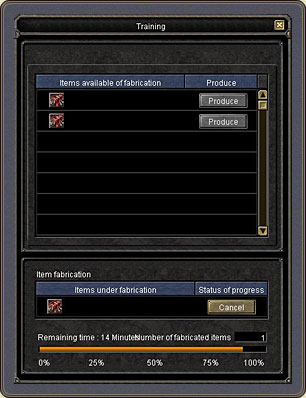
The trainer is positioned inside the fortress and is responsible for training transportation vehicles. Authority is restricted to the guild master and the training administrator; employing a trainer saves cost and time. The Train COS button lists the COS available to train at the fortress; when training completes, the Complete button activates and the COS is issued to whoever pressed it. COS means the transportation/movement vehicles or pets used in Silkroad Online.
Guard / fortress monster Guard / Fortress Monster
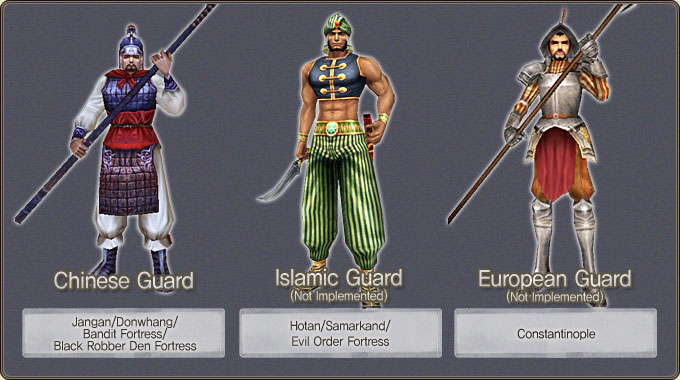
Guards are the NPCs responsible for the fortress's security. Authority to use and position them belongs to the guild master (the commander at the fortress war) and the fortress war administrator. Guard types are defined per fortress.
Guard positioning
- There are two types of guards: stationary and mobile patrol.
- Up to 30 guards can be positioned at a large fortress, and up to 15 at a small one.
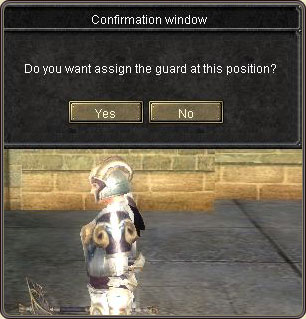
- Positioning is done with the guard-mobilization orders: left-click at the location where the guard should stand.
- Guards can only be positioned in areas marked with yellow circles; red circles mean positioning is not possible.
- Guards can only be positioned during the preparation period for the war, and never over the structures.
- Guards cannot be positioned at fortresses other than those under your occupation.
Laying off and eliminating guards
- Press the D button on the guard's target window, then OK on the verify window, to lay the guard off.
- Authority for laying guards off is restricted to the guild master (the commander at the fortress war) and the fortress war administrator.
- Guards killed in action are not regenerated but eliminated.

PK rules for guards
Guards are friendly to the fortress-occupying guild and its alliance and cannot be forcibly attacked by them, regardless of war or occupation periods. Members of any other guild may forcibly attack the guards. A player who is a member of a foe guild, or a killer, is attacked by the guards — though a killer belonging to the occupying guild or its alliance is exempt.
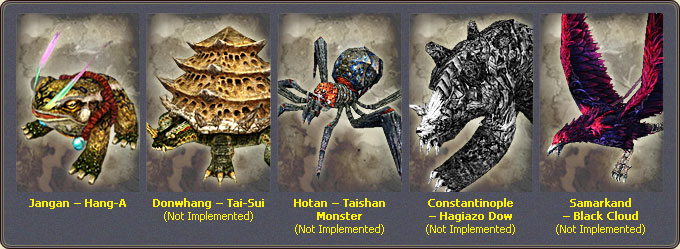
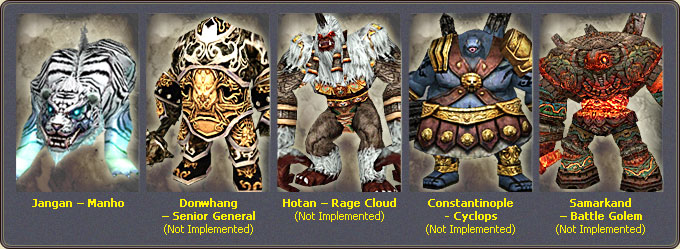
Fortress monster
- The fortress monster is the symbol of the fortress; authority to mobilize it during the war is restricted to the guild master (the commander at the fortress war).
- There are two types: production monsters fabricated at the fortress, and monsters for sale available from the fortress clerk.
- Production monsters are fabricated by the blacksmith inside the fortress and can only be employed at that fortress.
- The monsters for sale are available from the fortress clerks in the respective large cities and can be employed at any fortress.
- The fortress monster's level is identical to that of the mobilizer, and each bears the capability of a giant monster.
- A fortress monster automatically disappears when its HP drops to zero, or 20 minutes after mobilization.